SIT COBOL — ホーム

Smart Interpreter Training COBOL

Take your COBOL learning to the next level

An interpreter-based COBOL environment that runs the moment you write it. Nothing to set up. Pause on any statement and look at what your variables actually hold.

No installation ・ No license registration ・ Windows 10 or later

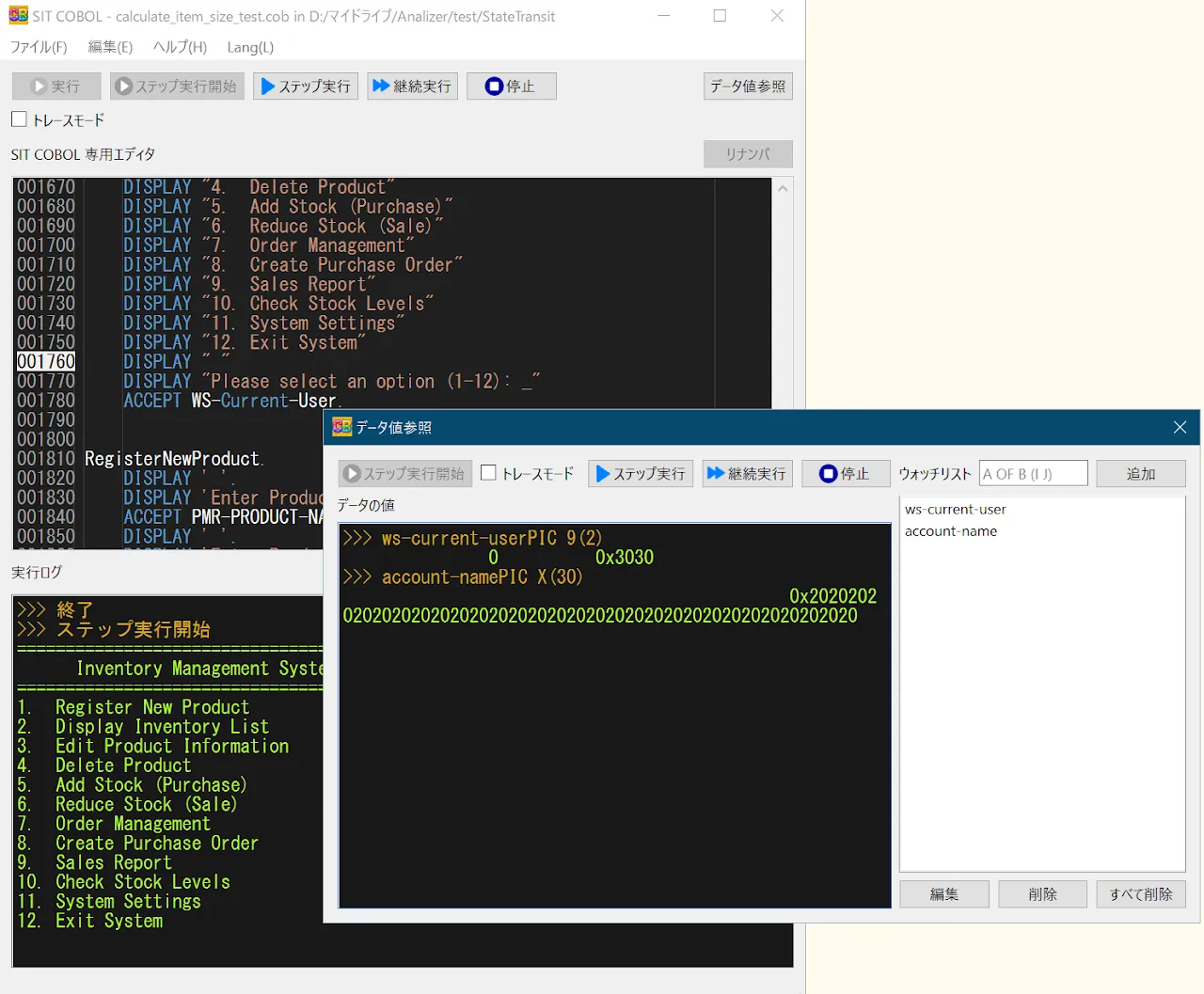
The SIT COBOL editor paused at line 1760 during step execution, with the data inspection dialog showing the attributes and values of WS-CURRENT-USER and ACCOUNT-NAME
Stepping through one statement at a time while the data inspection dialog shows each variable's attributes and current value.
  • v11.2.3.2Latest, 2026-08-10
  • 30 partsVideo course (in Japanese)
  • FreeStandard edition license
  • Windows10 or later

Getting started

Three moves to begin

We do not want the environment to be the hard part. If you came to learn COBOL, you should be able to spend your time on COBOL.

  1. Unzip

    Download the zip and extract it. No installer, no administrator rights.

    sitcobol-Standard_v11.zip
  2. Write

    Open the bundled editor and write COBOL. It feels close to Visual Studio Code.

    IDENTIFICATION DIVISION.
  3. Run

    Press Run and it executes right there. There is no compile step to wait through.

    ▶ Run

What it does

Runs immediately. Shows you the inside. Builds the real thing.

SIT COBOL was built for learning COBOL. Authoring and execution live in one place, organised around these three ideas.

Runs immediately

From the moment you unzip it. Code you just wrote runs the instant you write it.

No setup
Download, unzip, and start. There is no installation step to work through.
Instant execution
Because it is an interpreter, you can run a program the moment you write it and try out what you have just learned.
Runs even while incomplete
Even with syntax errors it reports the problem and keeps going where it can — an undefined variable is supplied and execution continues.
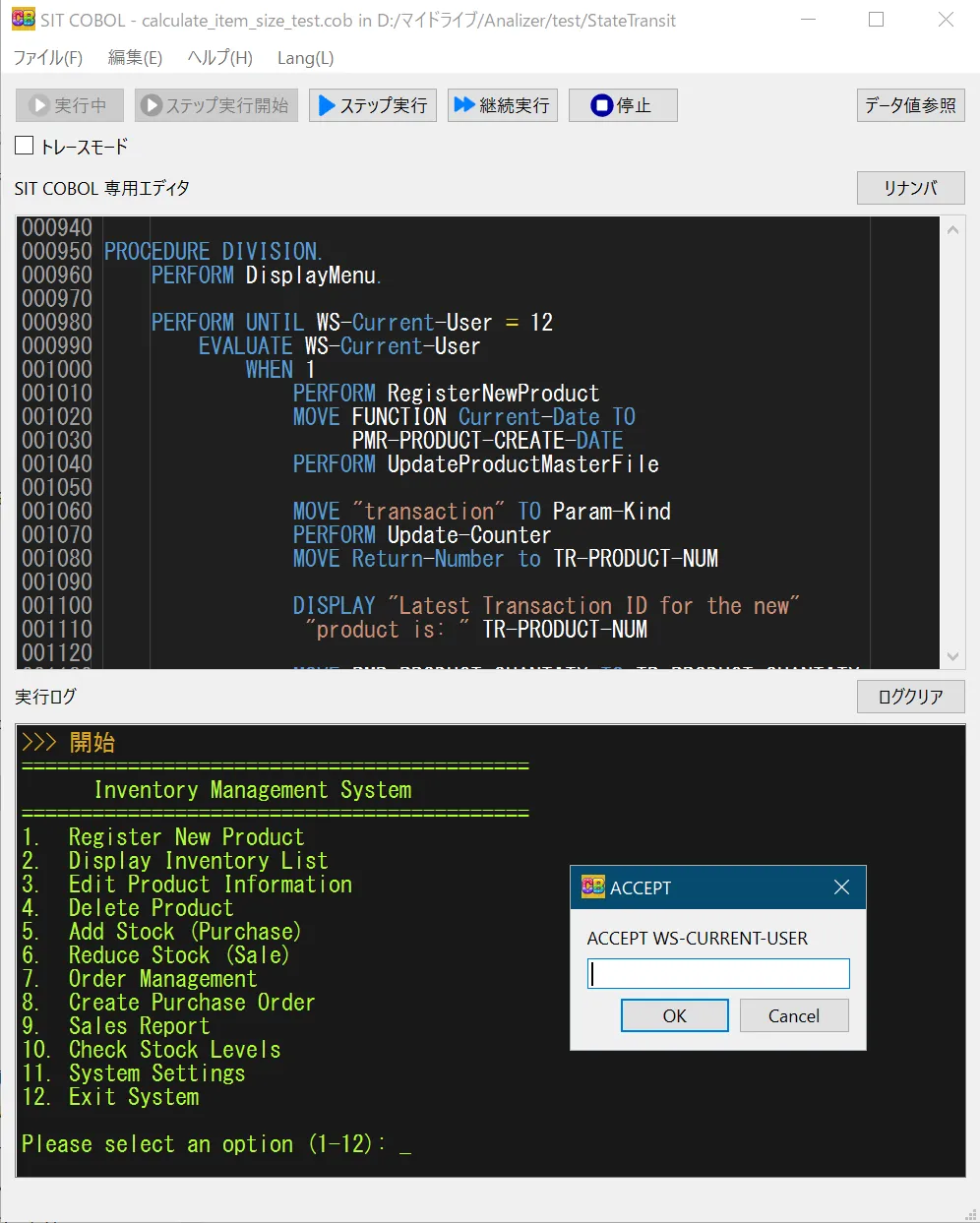
Running an inventory system in SIT COBOL, showing the menu and the ACCEPT input dialog

You can see inside

Pause, look inside, step forward. You can follow with your own eyes what the program is doing.

Step execution
Execute one statement at a time and check the result of each — ideal for understanding behaviour in detail.
Trace what executed
In trace mode you see exactly which lines and statements were passed through, rendered as source lines.
Inspect data values
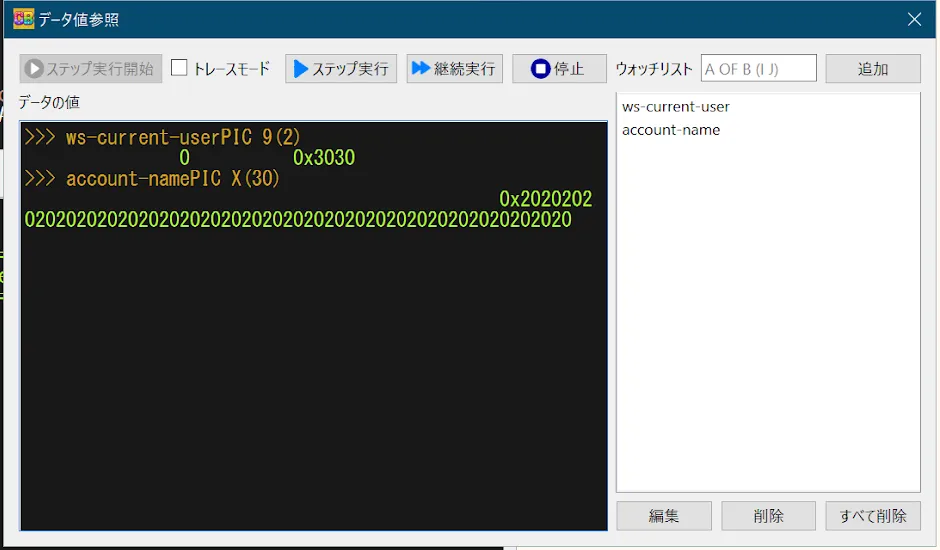
Check the attributes and values of data while the program runs, making verification and debugging straightforward.

As of June 2025, updating data values is not yet supported.

The data inspection dialog, showing ws-current-user as PIC 9(2) and account-name as PIC X(30) with their values and hexadecimal representations

Build the real thing

Files, databases, and screens — no add-ons required to reach the shape of a real business application.

File I/O
Sequential and line sequential files, plus indexed files in the Pro edition. CSV / TSV interchange is supported too.
Embedded SQL
The Pro edition provides embedded SQL backed by SQLite3, so you can experience building database-driven applications.
Screen handling
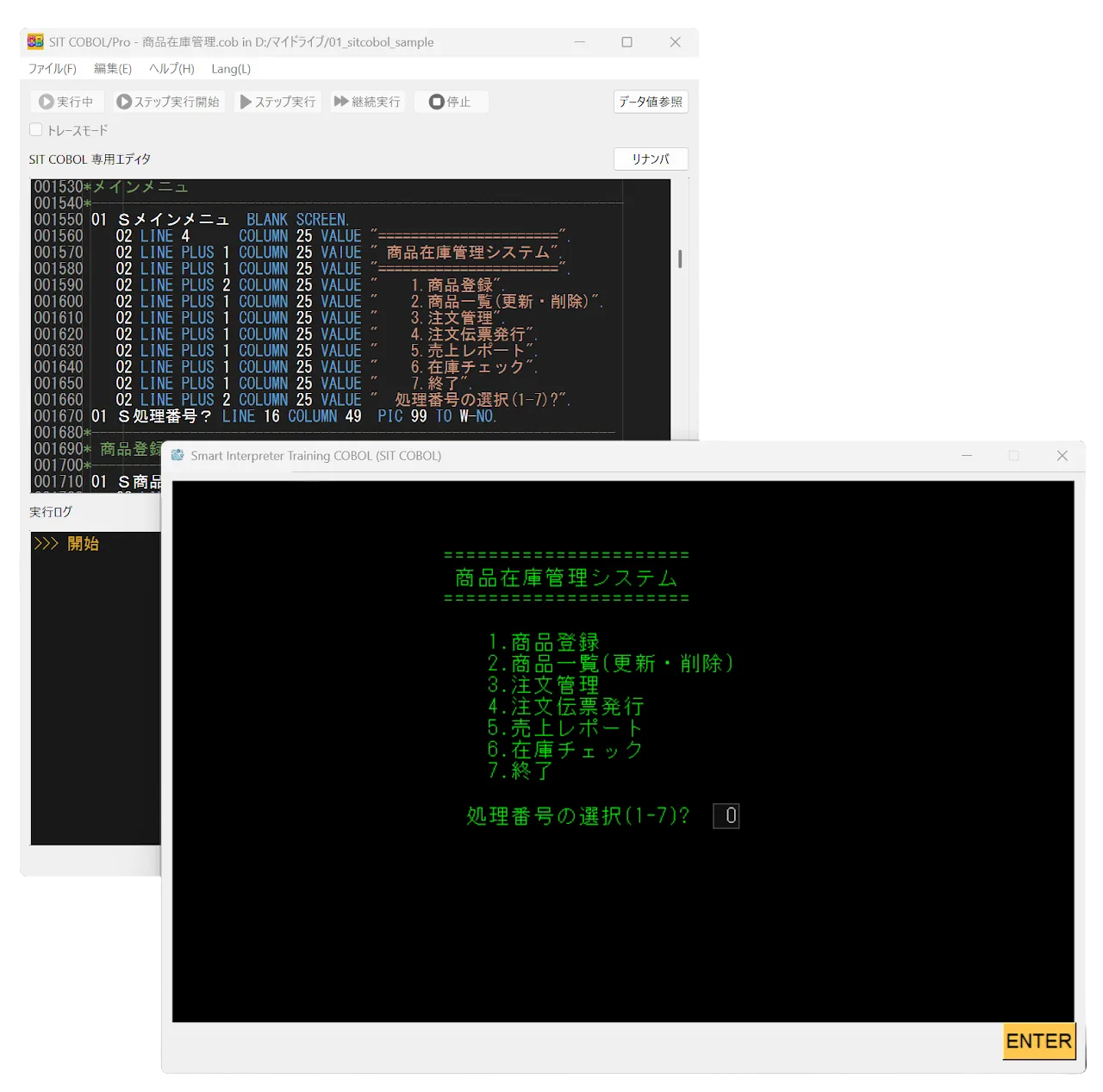
Describe screen items in the SCREEN SECTION and use ACCEPT / DISPLAY to render screens and capture input.
A product inventory management menu screen built with the SCREEN SECTION

Editions

Start free. Upgrade only if you need to

The core of COBOL runs without restriction in the Standard edition. Move to Pro only when you need indexed files or embedded SQL.

FeatureStandardFreeProPaid
Core COBOL85 featuresArithmetic, control flow, strings, SEARCH, CALL, COPY, SORT/MERGEAvailableAvailable
Step execution, trace, data inspectionAvailableAvailable
Screen sectionAvailableAvailable
Sequential, line sequential, CSV / TSV filesAvailableAvailable
Indexed filesPro onlyAvailable
Embedded SQL (SQLite3)Pro onlyAvailable

Pro edition licenses

Standard License

7,500ex. tax

¥8,250 incl. tax

Term
No time limit
Support
Email enquiries

Special License

35,000ex. tax

¥38,500 incl. tax

Term
No time limit
Support
Email, with online sessions if needed

3-Month License

3,000ex. tax

¥3,300 incl. tax

Term
3 months
Support
Email enquiries

Valid for three months from the date of issue. Reverts to the Standard edition when the term ends.

1-Month License

2,000ex. tax

¥2,200 incl. tax

Term
1 month
Support
Email enquiries

Valid for one month from the date of issue. Reverts to the Standard edition when the term ends.

Prices exclude consumption tax; the amount in parentheses includes it. A ¥190 convenience-store payment fee and bank transfer fees may apply separately. Purchase and activation steps are on thepricing page.

Requirements

Requirements

OS
Windows 10 or later
CPU
No specific requirement
Memory
No specific requirement
Prerequisites
None

Unzip it, and start writing.

The Standard edition is free. No installation, no license registration. Everything except indexed files and SQL runs without restriction, so you can learn the fundamentals of COBOL with this alone.

LatestVer11 Release 2.3.22026-08-10Windows 10 or later